Posts

Showing posts with the label PBCS

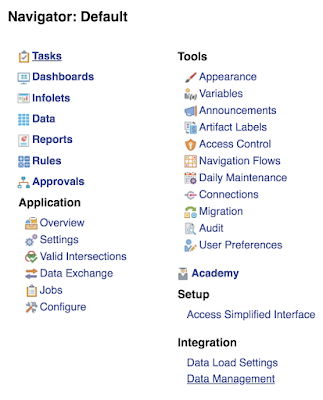
Oracle PBCS text file export from ASO plan type utilizing Data Management
Image
While recently working on a project to migrate an on-premise Hyperion Planning application to Oracle Planning and Budgeting Cloud Service (PBCS) I ran into a requirement to export data from the application to a downstream data warehouse. On premise this is handled with a BSO export calculation script. One of the changes we implemented when moving the app to the cloud was to take advantage of the ASO reporting cube plan type to eliminate the need to run aggregations on the BSO plan type. This decision however caused a challenge for exporting the data. When evaluating options we recognized that while we could use a business rule to export the data from the BSO plan type, not all the data we needed was available since we were not aggregating the BSO cube. In light of this we decided we would extract the data from the ASO reporting cube. The challenge with this approach however was that we could no longer use the business rule export since it is not supported for ASO plan type, furthermo...

PBCS dynamic xref, ASO to BSO - roll your own hybrid!

Image
Overview PBCS has made life so easy when it comes to moving data between plan types.  Setting up a Planning to Essbase ASO reporting cube, on-premise, is a very involved process with automations to either export/import data or to move data via partitions.  With PBCS it's pretty much as easy as clicking a button in the UI or calling a data map definition in EPMAutomate. A number of questions come up when determining how you want to architect your PBCS app.  You need to think about how data is going to be stored in the different plan types and how the data flow is going to work so that you get the results you need as quick as possible while ensuring the app is easy for users to navigate.  Features like Smart Push, which allow you to create data forms pointing to a BSO plan type and also write to an ASO plan type (or another BSO type if you wish) give you a lot of options to isolate your users from seeing what's going on behind the curtain.  I make it a sell...

Building interactive charts and tables in Power Point with Smart View

Image
Do you get tired of recreating the same PowerPoint decks each month when your numbers change?  Wouldn't it be great if you could just push a button and have the numbers in your ppt slide update to what is in the database?  Wouldn't it be even better if the data was used in visually rich MS Office objects such as tables and charts?  And, wouldn't it be awesome if you could interact with the data in real time during your presentation? Well, did you know Smart View for Power Point does all of that?  That's right I said Smart View for PowerPoint; Smart View is not just for Excel. Smart View has had the functionality to work with the MS Office suite for some time, but frankly the functionality outside of Excel has been limited and challenging to work with at times.  While the Power Point and Word functionality are not 100%, they have come a long way and with some patience you can make some really nice PowerPoint slides that are interactive with your underlying EP...